What To Do When You Get That New Camera
by Mickey Rountree
As photographers we all love getting new gear, and new cameras especially. The overwhelming temptation is to tear open the box and start shooting. But I think there are some important things to do as soon as you get your camera.
As you’re unpacking, double check that everything that should be there is there. The first thing to do is find the charger and battery and plug them in to charge. While the battery is charging, read the manual to acquaint yourself with the camera’s controls and operation. Lately the trend seems to be for the manufacturer to only include a very basic manual, and have you download the advanced user’s manual online. After you download it be sure to put a copy on your phone, so you always have ready reference with you. While you’re on the manufacturer’s site download any other software and check for camera firmware updates.
After you’ve read over at least the basics of the manual, insert the battery and a memory card, attach a lens and learn the camera’s modes and controls. Many of the new cameras allow you to set up custom menu screens where you can place the menu items you use most, and that is one of the first things I do. If you already have a similar camera, it’s very helpful to set the menus up the same so switching between cameras is seamless. Go through all of the menu items and set things to your liking. This is the point where I go into custom controls and set back button focus. Set up the information screens to show the info you like to see when shooting, and turn off info you don’t need so your screen is less cluttered. Pay particular attention to autofocus settings and modes.
Now you’re ready to go and actually shoot. Try to shoot a variety of still and moving subjects in different lighting conditions. Get them into the computer and check for exposure and image sharpness. If there are issues try to figure out if it’s a settings issue, user error or an actual problem with the camera. By now you should be ready to go out and shoot with your new camera with confidence.
Here are some non-photographic items that you might not consider, or overlook in your excitement.
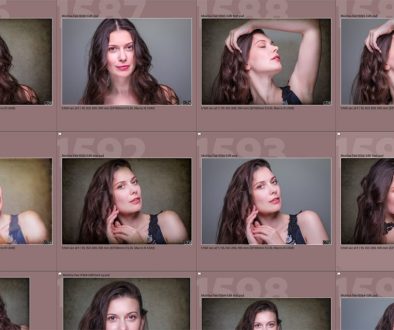
As I described in another article, I like to make color profiles and import presets for all of my cameras. So I shoot my color checker target in clear daylight, overcast skies, studio strobe and with my fluorescent ringlight. After shooting these color checker shots, I create camera color profiles in Lightroom, and then create import profiles that include my favorite sharpening settings and some clarity. Now every time I import images from that camera I can apply my color profiles and sharpening during the import process.
Hopefully you keep an inventory of your photography gear, so remember to add it and include the serial number, date of purchase, where you purchased it, and the price. If you have your gear insured be sure to add it to the list that you provide your insurer.
Register your new gear, either with the warranty card, or online at the manufacturer’s website. Also if you belong to something like Canon Professional Services, make sure to add it to your equipment list.
Put a small label or two with your name and phone number in an inconspicuous place. I usually place one on the base of the camera where it is covered by the L Plate and one behind the foldout screen. It may not help with a theft, but if you lose your camera it could help someone return it to you.
One of the best ways to learn a new camera (or lens) is to shoot with it exclusively for a while. That way the operation becomes second nature and you know it’s capabilities and limitations.
I also have one major “DON’T” with a new camera. Never go on a major photo trip or workshop, or shoot a commercial job or wedding until you have tested your camera and are thoroughly familiar with its operation. There are probably photographers who have violated this rule and gotten away with it, but I’ve also seen and heard of a lot of horror stories. So why risk it?