Using Virtual Copies in Lightroom
by Mickey Rountree
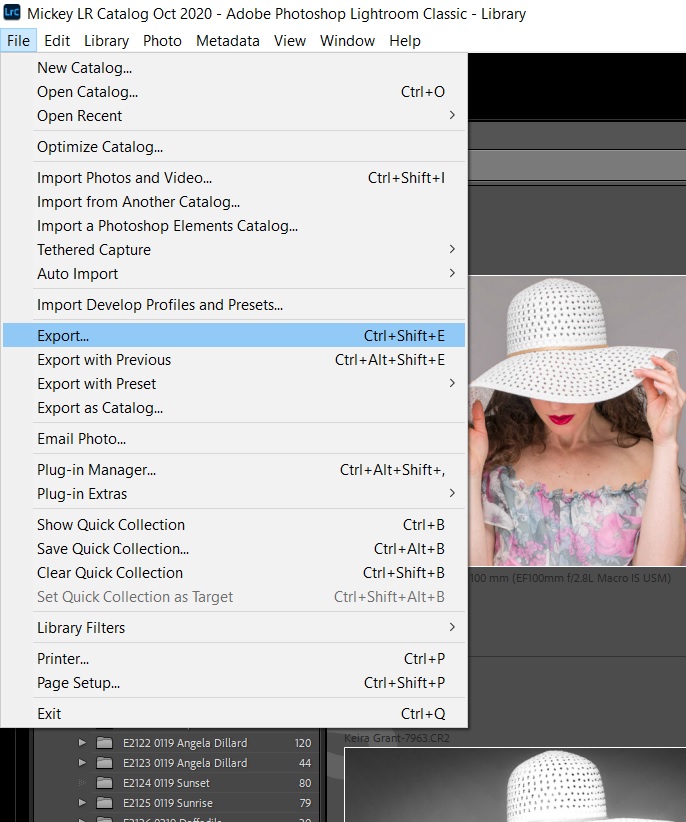
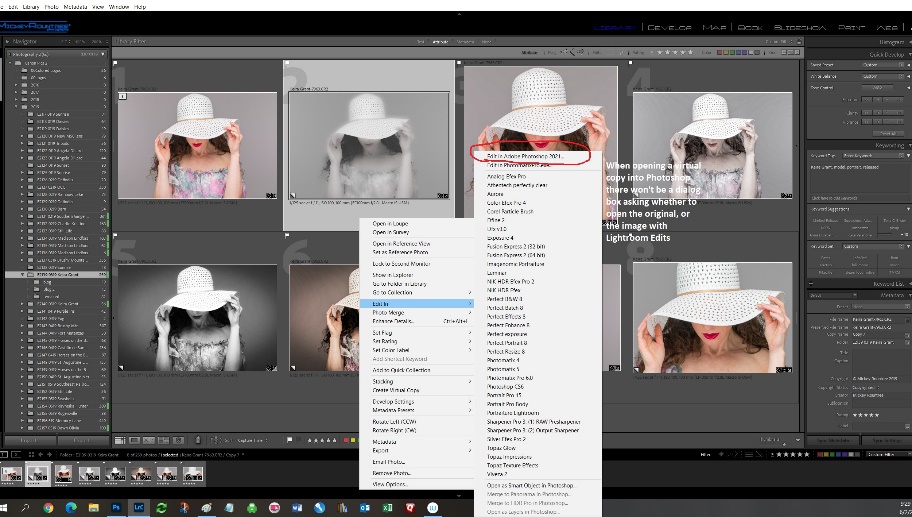
One of the most useful features in Lightroom is Virtual Copies. As a quick reminder, when you edit an image in Lightroom (LR), you are not making changes to the original image. Rather, you are creating a set of instructions that tells LR how to display this image. These instructions are stored in the LR catalog. As a result, if you use a file manager to copy an image that has been edited in LR, or open the image in another program, you won’t see the edits, only the original image. To use the image with LR edits, you must export the image from LR.
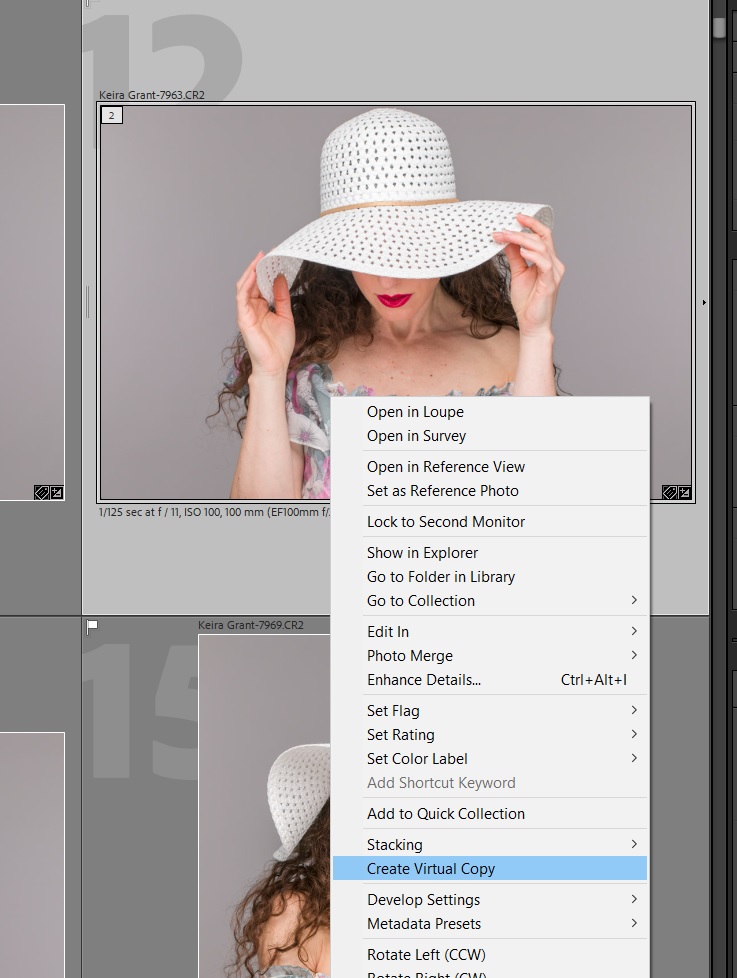
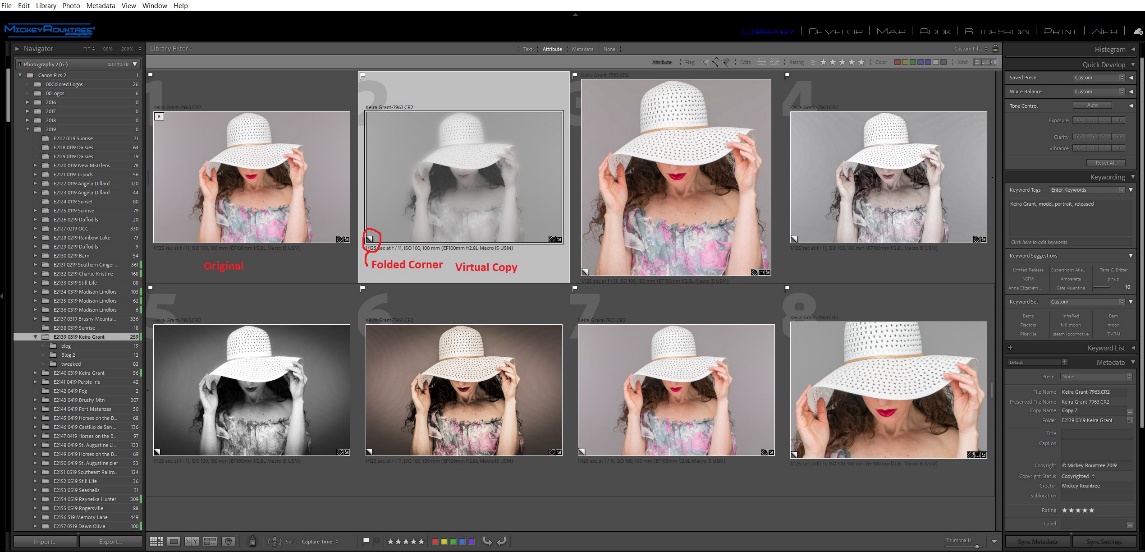
Virtual copies are simply copies of the image with new and different editing instructions. The master image is not altered or duplicated. And because a virtual copy is nothing more than a new set of instructions it takes up almost no disk space. The virtual copies exist only within LR’s catalog, and if you go looking for these virtual copies with a file manager, you won’t find them because they exist only as sets of instructions in the LR Catalog.
So, what are some reasons to use virtual copies? Let’s say you want to look at several different ways of editing or cropping your image, and still have the original for comparison. Or maybe you have an image that you need to use in several places, but one needs to be cropped vertical, one square, and one horizontal. Virtual copies are the perfect solution.
More